The Complete Guide to Scaling Your Business with a WhatsApp Automation Tool
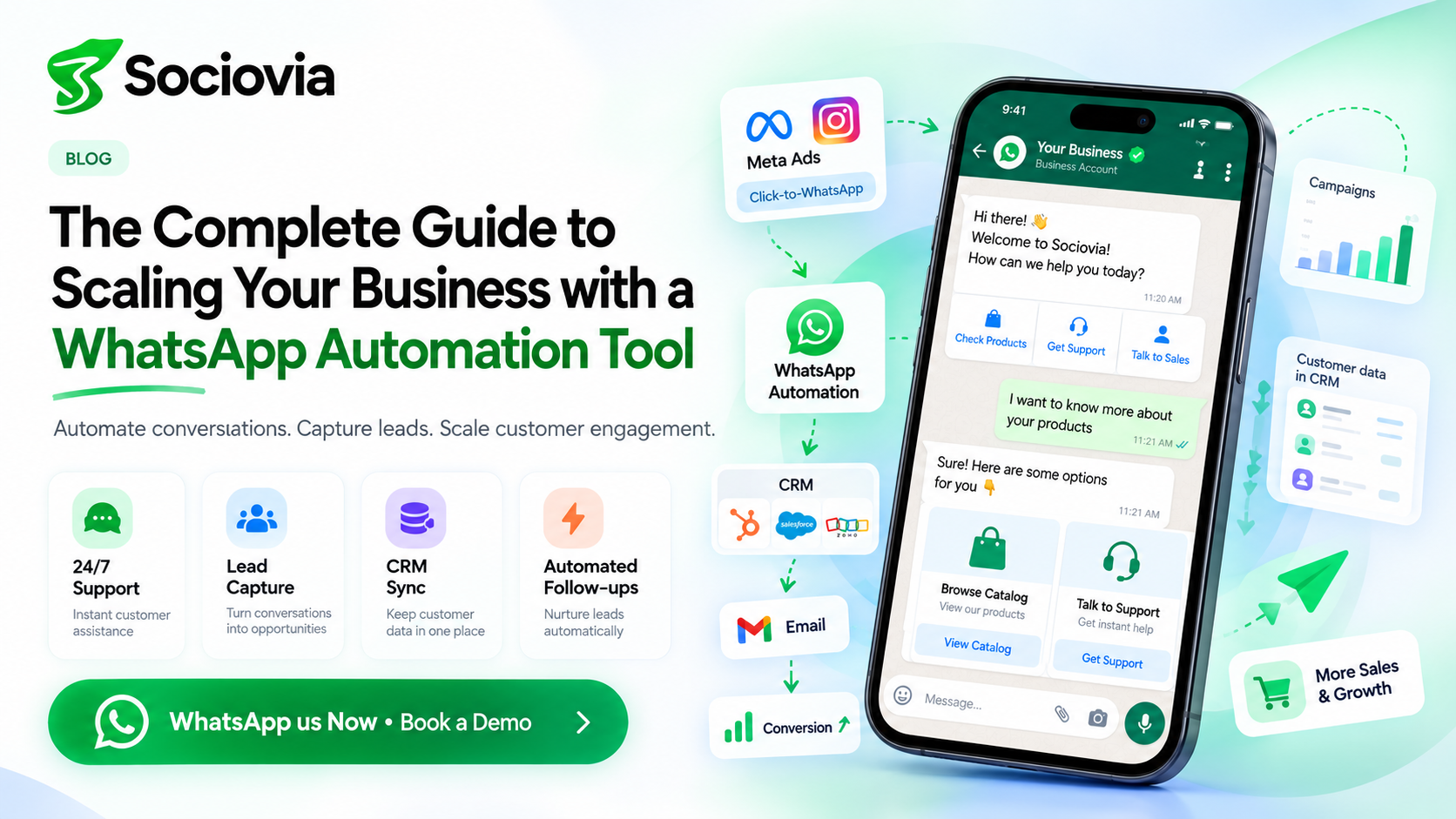
With over two billion active monthly users and open rates soaring above 98%, WhatsApp has transformed from a simple peer-to-peer chat application into a premier global sales, support, and engagement engine. For modern businesses looking to capture buyer intent, resolve support queries around the clock, and streamline lead conversion, leveraging a reliable WhatsApp automation tool is no longer optional—it is essential.
This guide provides answers to the most common questions regarding WhatsApp automation, details how the platform integrates with your tech stack, and explains how to launch your messaging strategy.
Frequently Asked Questions
What is WhatsApp Automation?
WhatsApp Automation refers to the technology that uses automated rules, event triggers, and conversational AI chatbots to send messages, manage workflows, and resolve customer interactions on WhatsApp without human intervention. It transforms manual, one-to-one chats into scalable, system-wide operations.
How Does WhatsApp Automation Work?
WhatsApp automation works by connecting your business backend (such as your CRM, e-commerce engine, or payment gateway) to the official WhatsApp platform using a WhatsApp automation tool built on the WhatsApp Business API. [Customer Event / Trigger] ➔ [WhatsApp Automation Tool Engine] ➔ [API / Logic Evaluation] ➔ [Automated WhatsApp Message Sent] 1. Triggers: A customer performs an action (e.g., abandons a shopping cart, submits a lead form, or texts a target keyword). 2. Logic Processing: The automation engine checks conditions such as buyer segment, time of day, or keyword intent. 3. Execution: The software instantly fires off the relevant interactive reply, dynamic transactional template, or multi-step chatbot sequence.
What is the Difference Between WhatsApp Business and WhatsApp Business API?
While both are designed for commercial use, their features and target audiences differ significantly: Feature WhatsApp Business App WhatsApp Business API Ideal For Solopreneurs and local brick-and-mortar shops Growing SMBs, D2C brands, and global enterprises Team Access Limited to 4–5 linked devices per phone number Unlimited agent seats on a shared central team inbox Broadcast Capabilities Max 256 contacts per broadcast list (requires users to save your contact) Unlimited broadcasts to opted-in users (subject to Meta tiering) Automation Scope Basic away messages, greetings, and quick replies Multi-branch AI chatbots, webhooks, dynamic flow builders Integrations No native external CRM or web applications support Full integration with Shopify, WooCommerce, HubSpot, Salesforce, etc.
What are the Benefits of WhatsApp Automation for Businesses?
● 24/7 Availability: Answer questions instantly and capture sales leads around the clock. ● Drastic Cost Reduction: Automate up to 80% of repetitive customer support inquiries, lowering operational support costs. ● Higher Conversion Rates: Instant responses reduce drop-off rates, helping convert interested leads while their purchase intent is highest. ● Seamless Scalability: Handle thousands of concurrent user conversations without increasing support staff headcount.
Can I Customize Automated WhatsApp Messages?
Yes. Modern WhatsApp automation engines support deep personalization through dynamic variables and custom data tags. You can automatically insert individual user details like: ● Customer First Name ({{1}}) ● Dynamic Order Number ({{2}}) and Real-time Tracking URLs ({{3}}) ● Personalized Cart Items, Abandoned Checkout Links, and Unique Promo Codes
Can WhatsApp Automation Be Used for Customer Support?
Absolutely. Customer support is one of its primary applications. Automation platforms handle initial triage, collect essential order numbers, supply shipping updates, and answer FAQs using interactive buttons or AI bots. If a customer issue requires human assistance, the conversation automatically escalates to a live agent in a unified inbox—complete with conversation history.
Is WhatsApp Automation Secure?
Yes. Automated messages routed through official WhatsApp Business Solution Providers (BSPs) utilize end-to-end data encryption. Additionally, the official API model enforces strict data protection rules (such as GDPR compliance) and requires explicit user opt-ins, protecting your brand from security risks and spam penalties.
Do I Need Coding Skills to Set Up WhatsApp Automation?
No. Most top-tier WhatsApp automation platforms offer no-code visual workflow builders. Teams can map out chatbot paths, build branching logic, and trigger automated alerts using visual drag-and-drop interfaces without technical knowledge. (Developer REST APIs and custom webhooks remain available for advanced bespoke integrations.)
What is the Best WhatsApp Automation Tool?
The best software depends on your specific business goals, tech stack, and operational size: ● Best for E-Commerce & D2C (Shopify / WooCommerce): Platforms like Kwik Engage (GoKwik) or Zoko offer specialized capabilities for abandoned cart recovery, cash-on-delivery (COD) reconfirmations, and product catalogs. ● Best All-Rounders for SMBs & Growing Teams: WATI, AiSensy, and Interakt provide unified shared team inboxes, no-code bot builders, and straightforward pricing tiers. ● Best for Mid-Market & Enterprise Omnichannel Operations: Platforms such as Insider One, Twilio, Gupshup, or Bird excel at connecting messaging across multiple touchpoints and legacy systems.
Why Connecting WhatsApp with Other Marketing Channels is Critical
Operating marketing channels in isolation creates disjointed customer experiences. Connecting your WhatsApp automation tool to your existing stack—such as email platforms, social media ads, and CRM software—unlocks an omnichannel funnel.
[Click-to-WhatsApp Social Ad] ➔ [Automated WhatsApp Welcome & Offer] ➔ [CRM Data Sync] ➔ [Email Retargeting Sequence]
Strategic Benefits of Integration:
1. Seamless Lead Capture: Convert social media traffic using Meta Click-to-WhatsApp ads. Instead of sending users to a slow-loading landing page, open a chat window where a bot instantly captures contact details and qualifies interest.
2. Smarter Re-engagement: If an urgent email message (like a flash sale or account verification) goes unopened after 24 hours, automatically trigger a WhatsApp template message to secure higher open rates. 3. Unified Customer Profiles: Feed conversation records, customer preferences, and interaction tags back into your central CRM (e.g., HubSpot, Zoho, or Salesforce) to refine your segmented outreach across all channels.
Key Benefits of Using WhatsApp for Marketing
WhatsApp provides distinct advantages over traditional promotional tools:
● Unmatched Open and Response Rates: Achieving 98% open rates and up to 45-60% click-through rates, WhatsApp campaigns regularly outperform email and traditional SMS. ● Conversational Commerce: Consumers can browse digital product catalogs, select product options, and finalize payments directly within a single chat window. ● Reduced Customer Acquisition Costs (CAC): Automated lead qualification speeds up sales pipelines, shortens sales cycles, and improves overall marketing ROI. ● High Customer Trust: Verified Business Profiles (complete with green checkmark badges) offer built-in credibility, reducing security concerns for online customers.
How to Get Started with WhatsApp Marketing in 4 Steps
Getting started with automated WhatsApp marketing is straightforward:
1. Apply for WhatsApp Business API Access: Register your business phone number through an official Meta Business Solution Provider (BSP) or messaging software partner. 2. Select Your WhatsApp Automation Tool: Choose a platform based on your feature needs (e.g., e-commerce sync, shared inbox support, or visual chatbot builders). 3. Build Your Opt-in Contact List: Collect compliant user consent via website pop-ups, checkout page checkboxes, or direct ad campaigns. 4. Deploy Initial Workflows: Launch basic automations first—such as instant welcome greetings, order updates, and simple FAQ bots—before expanding into complex AI journeys.
Final Thoughts
Adopting a high-performing WhatsApp automation tool gives your team the capability to engage leads faster, close sales with lower friction, and deliver instant 24/7 customer service at scale. By replacing fragmented, manual conversations with automated workflows, you turn WhatsApp into a key driver of measurable revenue growth.
WhatsApp automation works by connecting your business backend (such as your CRM, e-commerce engine, or payment gateway) to the official WhatsApp platform using a WhatsApp automation tool built on the WhatsApp Business API.